hksiang Brings Indonesia Games Into One Lobby
hksiang puts Live Roulette Prestige, Thunder Zeus Slots, Aviator Mobile Play and Liga 1 Match Bet behind one account, with DANA, OVO, GoPay and QRIS visible from the Home page.
Access is available only where local law permits.
Live Tables Meet Mobile Slot Rooms
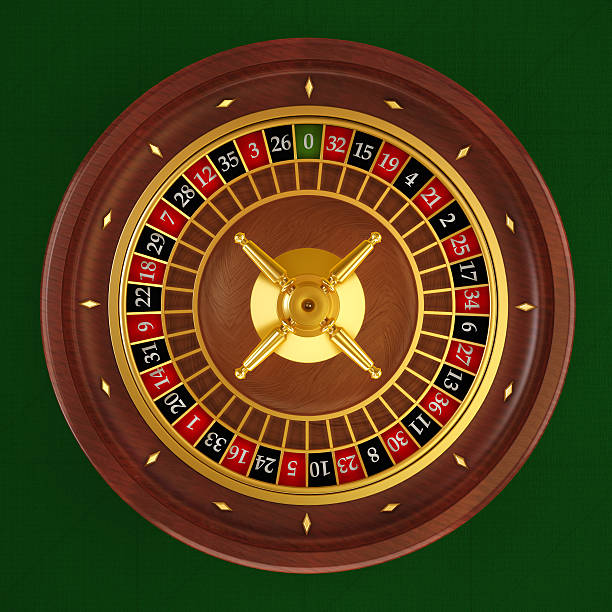
Live Roulette Prestige gives you a direct route into streamed dealer tables, while our casino and slots area keeps Thunder Zeus Slots and other reel games within the…





Start With Clear Phone Verification

One account connects the casino, sportsbook and supported local wallets from the hksiang Home page. Begin through the account option, enter the requested phone details and complete phone verification before account access is released. After verification, return through the same Home path rather than creating separate profiles for slots or sports. Your cashier and lobby sit under that account, which
reduces confusion when you switch devices. Check that the phone details are accurate before submitting them, because they are used during account checks. Access is available where local law permits, and the policy area explains the terms that apply before you proceed.
Four Practical Paths From hksiang Home

Track Wallet And Withdrawal Status
DANA and QRIS are presented as named cashier choices, so you do not need to guess which wallet route applies. OVO and GoPay sit beside them with their own transaction status, while bank transfer and virtual account options cover BCA, BRI, Mandiri and BNI context. Select one method, follow the amount and destination fields shown by the cashier, then retain
the payment receipt until the status updates. A withdrawal request can require account verification before processing, and its progress remains tied to your account rather than the game you opened. If a status stalls, use the payment-help path beside the cashier and provide the transaction reference shown on your receipt.
Find Thunder Zeus Slots Faster
Move From QRIS To Mobile Games
A smaller screen keeps the account, cashier and lobby in one vertical path rather than splitting them across separate experiences. After account access, open the Home menu, choose the cashier and select QRIS, DANA, OVO or GoPay. The cashier displays the wallet status before you return to casino categories such as slots or live tables. Aviator Mobile Play and Fishing
War Mobile Play are named for direct mobile discovery, while Live Roulette Prestige opens through the live casino area. If you change to a computer later, use the same verified account and check the transaction status before opening another title. No separate casino profile is needed.
What We Show Before You Enter
Clear account and payment steps matter more than broad claims. We place phone verification before account access, identify each supported local rail by name and keep payment-help access near the cashier.
Phone verification
We ask you to complete the displayed phone verification step before account access. This creates one identifiable account route for the casino, sportsbook and cashier instead of separate credentials for each section.
Named local rails
The cashier identifies DANA, OVO, GoPay and QRIS individually. Bank transfer and virtual account routes also show familiar BCA, BRI, Mandiri and BNI context where the selected transaction path supports it.
Receipt checks
Keep the receipt or transaction reference produced by your payment method. If the displayed status does not move as expected, the payment-help path lets you connect the reference with the relevant account transaction.
Policy access
Terms and access wording are linked from the Home policy area so you can read the applicable account conditions before proceeding. Availability depends on local law and can vary according to your location.

Keep One Verified Account Path
Phone verification is the checkpoint between your submitted account details and access to the lobby. Use your own accurate phone details, complete the requested verification and return through the account route shown on Home. We do not ask you to create a second profile when moving from Live Roulette Prestige to Thunder Zeus Slots or the sportsbook. If account access
stalls, avoid repeating submissions with different details; open the nearby help path so the existing request can be checked. The policy links explain how account data and access conditions are handled. Before using a shared device, make sure you leave the account area when your session is finished.
Choose DANA, QRIS Or Bank Transfer
Four familiar wallet names appear in the cashier: DANA, OVO, GoPay and QRIS.
Open Roulette Beside Casino Slots
Live Roulette Prestige sits in our live casino area alongside baccarat, blackjack and Dragon Tiger context, while casino and slots remain one step away through the category navigation.
Football And Badminton Beside Casino

Sportsbook access from Home covers football, badminton and basketball markets alongside the casino lobby. Piala Indonesia Bet and Liga 1 Match Bet provide named football entry points configured for Indonesia, while badminton gives you a locally relevant sport without hiding it behind international categories. Open the sportsbook from the main navigation, choose the sport and inspect the available event and
market details before making a selection. Your casino and wallet status remain attached to the same account when you return. Availability can differ by location and where local law permits; use the policy area to check the applicable access wording before opening an account or entering a market.
Resolve Login And Wallet Status
Account help is placed close to the cashier path because login and payment questions often involve the same account details. Start with the relevant transaction or verification screen, record the status shown there and open the help option connected to that area. For wallet questions, keep the DANA, OVO, GoPay or QRIS receipt available. For account access, refer to the phone verification step rather than submitting a second profile. This gives our support desk enough context to separate an account issue from a payment-provider delay.
Account access help
Use the help path linked to account access when phone verification or entry stalls. Include the stage you reached and the status displayed, but do not create another profile while the first request is being checked.
Wallet status checks
Open payment help from the cashier transaction that needs attention. Keep the DANA, OVO, GoPay or QRIS receipt and its reference ready so the request can be matched with the status on your account.
Bank receipt checks
For bank transfer or virtual account questions, compare the displayed destination and amount with your BCA, BRI, Mandiri or BNI receipt. Send the transaction reference through the connected help path for a focused status check.
Bring The Right Details To Support
A useful support request begins with the screen where the issue occurred. If your login stops after phone verification, state that stage and use the account-help path. If a wallet status remains unchanged, open the transaction in the cashier and keep its receipt reference ready. DANA, OVO, GoPay and QRIS each produce their own payment context, while bank transfer and
virtual account requests may involve BCA, BRI, Mandiri or BNI details. Never submit unrelated transactions in the same request, because that makes status matching harder. The Home support area is designed to route account access and payment-receipt questions separately, helping us check the relevant record without asking you to repeat the entire journey.
Answers About hksiang Home Access
These answers cover the practical questions raised before you open an account from Home: what sits inside the lobby, how phone verification works, which Indonesian payment rails appear, what happens on mobile and where to take a stalled status. We also explain local availability and the shared account path for casino and sportsbook access. For transaction-specific help, open the cashier record first so the receipt and status can be checked together.